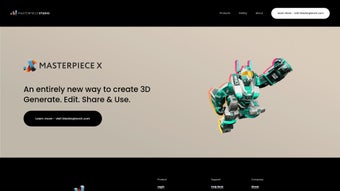

Download Masterpiece Studio – AI‑Powered 3D Design, VR Modeling & Secure Cloud Suite
Overview
Masterpiece Studio is redefining how indie creators, hobbyists, and small studios approach three‑dimensional content creation. Powered by a cutting‑edge Generative AI engine, the application turns what used to be weeks of modeling, UV unwrapping, and rigging into a handful of clicks or spoken prompts. Whether you are crafting a character for a game, prototyping a product for a client, or building an immersive environment for virtual reality, Masterpiece Studio lets you generate, edit, and deploy high‑quality 3D assets in minutes.
The core philosophy behind the tool is to eliminate technical barriers: you no longer need deep knowledge of polygon topology, texture baking, or skeletal rigging. Instead, you simply describe the object you want in natural language, and the AI instantly creates a fully textured mesh, automatically generates UV maps, and applies a ready‑to‑animate rig. Once the asset is prepared, a single‑click export to Unity integrates it directly into your workflow, allowing you to focus on storytelling, gameplay, or visual polish rather than tedious file conversions.
The platform also includes a responsive help desk and a thriving community forum, ensuring newcomers receive fast assistance and seasoned users can share tips, tutorials, and asset packs. While collaborative multi‑user editing is not yet available, the single‑user efficiency, AI‑driven shortcuts, and secure cloud infrastructure make Masterpiece Studio an attractive, affordable option for anyone looking to create 3D content quickly, safely, and without the steep learning curve of traditional pipelines. The software runs natively on Windows and macOS, and supports major VR headsets such as Oculus Rift, HTC Vive, and Valve Index, delivering an immersive design experience that feels both powerful and approachable.
Key Features that Distinguish Masterpiece Studio
- Generative AI Modeling from Text Prompts: Type or speak a description (“a futuristic hover bike with neon lights”) and watch the AI generate a fully textured, ready‑to‑rig 3D model.
- Auto‑UV Mapping: Automatic UV unwrapping removes a traditionally tedious step, letting you focus on design rather than technical preparation.
- Auto‑Rigging: Built‑in skeletal rigs are applied instantly, enabling immediate animation or export to game engines.
- One‑Click Unity Export: Export directly to Unity with correct scale, materials, and animation data, cutting down on pipeline friction.
- VR‑First Design Interface: Work in an immersive VR space using hand controllers, giving you a true sense of scale and depth while sculpting.
- Cross‑Device Asset Library: Save and organize generated assets in a cloud‑based library accessible from any supported device.
- Dedicated Help Desk & Community Forum: Fast response times from the support team and a vibrant community that shares tips, tutorials, and asset packs.
- Secure Cloud Rendering: Render high‑resolution previews in the cloud, keeping your local machine free for design work.
- Frequent Updates & Roadmap Transparency: The development team publishes a monthly changelog, ensuring users know what improvements are coming next.
Installation & Usage – From Download to First Render
Getting started with Masterpiece Studio is intentionally straightforward, reflecting the product’s mission to make 3D creation accessible to everyone. Follow these detailed steps to install and launch the software on a Windows or macOS system:
- Download the Installer: Visit the official Masterpiece Studio website and click the “Download for Windows” or “Download for macOS” button. The installer is about 1.2 GB and is delivered via a secure CDN with SSL encryption.
- Run the Installer: On Windows, double‑click the .exe file; on macOS, open the .dmg and drag the app to your Applications folder. The installer checks for required dependencies (DirectX 12 on Windows, Metal on macOS) and prompts you to install any missing components.
- Create an Account: Launch the app and register with an email address or use a single‑sign‑on option (Google, Apple). Account creation unlocks the cloud asset library and synchronizes your projects across devices.
- Configure VR Settings (Optional): If you own a supported headset, connect it before the first launch. Masterpiece Studio automatically detects Oculus Rift, HTC Vive, or Valve Index and guides you through calibration.
- Explore the UI: The main dashboard presents three panels: “Create,” “Library,” and “Export.” In “Create,” you can type a text prompt, select a base shape, or enter VR mode. The AI begins generating geometry within seconds.
- Generate a Model: Type “a low‑poly medieval sword with a wooden handle.” The AI returns a mesh, applies auto‑UVs, and adds a basic rig. Use the on‑screen tools to tweak proportions, add details, or switch to VR mode for hands‑on sculpting.
- Export to Unity: Click the “Export” button, choose Unity as the target, and select the desired folder. The app creates a .fbx file, material assets, and an animation controller ready for immediate import.
- Render a Preview: For a high‑resolution image, enable cloud rendering from the “Render” tab. Choose resolution (up to 4K) and press “Render.” The result appears in the “Library” panel for download.
- Save and Share: Projects are saved automatically to the secure cloud library. You can generate shareable links or export assets as .obj, .glb, or .fbx for use in other tools.
Throughout the workflow, contextual tooltips and short video tutorials appear when you hover over a button, embodying a “learning while doing” approach that reduces the need for external documentation and helps you achieve professional results in a fraction of the time required by traditional 3D software.
Compatibility, Pros & Cons, and Frequently Asked Questions
Supported Operating Systems
Masterpiece Studio runs natively on the following platforms:
- Windows 10 (64‑bit) and later – requires DirectX 12 support.
- macOS 11 (Big Sur) and later – leverages Apple Metal for rendering.
- VR headsets: Oculus Rift S, Meta Quest (via Oculus Link), HTC Vive, Valve Index.
In addition to the full‑featured desktop applications, a lightweight web‑based viewer is available for sharing assets with stakeholders who do not have the software installed.
Pros
- AI‑driven text‑to‑3D generation dramatically speeds up concept iteration.
- Auto‑UV and auto‑rigging eliminate two of the most time‑consuming steps in traditional pipelines.
- One‑click Unity export ensures seamless integration with the most popular game engine.
- Immersive VR interface provides a natural sense of scale and spatial awareness.
- Secure cloud rendering and asset storage keep local hardware requirements low.
- Responsive help desk and active community accelerate problem solving.
- Regular updates and transparent roadmap keep the software future‑proof.
Cons
- No built‑in multi‑user collaboration; teams must rely on external version‑control solutions.
- Limited direct export options for Unreal Engine or other non‑Unity platforms.
- Advanced texture painting tools are less robust than those found in dedicated sculpting applications.
- VR mode requires a compatible headset, adding an extra hardware cost for some users.
Overall, Masterpiece Studio delivers a compelling blend of AI convenience and VR immersion that is rare in the indie‑creator market. The ease of generating high‑quality meshes from simple prompts, combined with automatic UVs and rigging, makes it an invaluable time‑saver. The main drawbacks are the absence of real‑time collaboration and limited export formats beyond Unity, which could be a deal‑breaker for larger studios. Nevertheless, for solo developers, freelancers, and small teams focused on rapid prototyping, the software offers a secure, up‑to‑date, and feature‑rich environment that justifies its price point.
Frequently Asked Questions
Can I use Masterpiece Studio without a VR headset?
Yes. While the VR interface provides the most immersive experience, all core features—including text‑to‑3D generation, auto‑UV, auto‑rigging, and Unity export—are fully functional in the standard desktop mode.
Is there a free trial or a free version of Masterpiece Studio?
Masterpiece Studio offers a 14‑day free trial with access to all premium features. After the trial, you can continue with a subscription plan that includes cloud rendering credits and priority support.
How secure is my data in the cloud library?
All assets are encrypted at rest and in transit using AES‑256 encryption and TLS 1.3. The platform complies with GDPR and CCPA regulations, ensuring that personal and project data remain private.
Can I export models to engines other than Unity?
Direct export is currently limited to Unity, but you can export the generated .fbx, .obj, or .glb files and import them manually into Unreal Engine, Godot, or any other 3D software.
What hardware specifications are recommended for optimal performance?
For desktop use, a quad‑core CPU, 16 GB RAM, and a GPU with at least 6 GB VRAM (NVIDIA GTX 1660 or higher) are recommended. VR mode benefits from a high‑refresh‑rate headset and a GPU capable of 90 FPS per eye.
Conclusion – Is Masterpiece Studio Worth Your Download?
Masterpiece Studio delivers on its promise of making 3D design effortless for indie creators. By marrying Generative AI with an intuitive VR workspace, the application removes many technical bottlenecks that traditionally slow down prototype development. The auto‑UV and auto‑rigging pipelines, combined with seamless Unity export, mean you can go from a text prompt to a playable asset in under ten minutes—a speed that can dramatically improve iteration cycles and keep projects on schedule.
While the lack of built‑in collaboration tools and limited export formats may push larger teams toward more enterprise‑focused solutions, the overall value proposition for solo developers, freelancers, and small studios is compelling. The secure cloud infrastructure, regular updates, and responsive support further reinforce the software’s reliability. If you’re looking for a modern, AI‑enhanced 3D creation suite that lets you focus on creativity rather than technical minutiae, Masterpiece Studio is a strong candidate.
Download it today, start your free trial, and experience how quickly your ideas can take shape in three dimensions.



.png)



